Best USB Wi-Fi Adapter for Linux: Plug and Play Picks (UK)
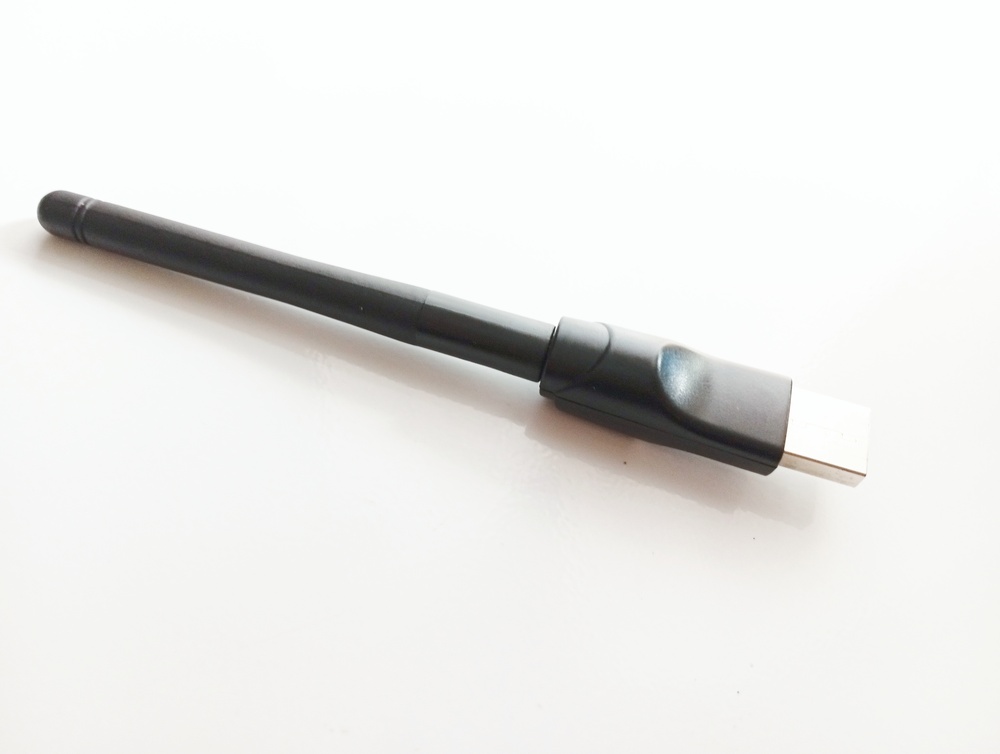
The best USB Wi-Fi adapter for Linux for most UK buyers is the Netgear A8000. It is a Wi-Fi 6E dongle with a MediaTek mt7921au chipset and an in-kernel driver, so recent Linux distros recognise it without a separate driver download. For older kernels, the ALFA AWUS036ACHM (mt7610u) is a better fit, with in-kernel support dating back to 2018.
This guide is based on the morrownr/USB-WiFi project, including its Short List, in-kernel adapter list and chipset table. It also draws on RottenWifi's Linux list, the ArchWiki and Amazon UK listings. These adapters have not been independently tested for this guide.
Quick picks
- Best overall (Wi-Fi 6E): Netgear A8000 (mt7921au)
- Best for older kernels and small servers: ALFA AWUS036ACHM (mt7610u)
- Best AC1200 on a new kernel (6.14 or later): ALFA AWUS036ACH (rtl8812au)
- Best small budget dual-band on a new kernel: ALFA AWUS036ACS (rtl8811au)
- Skip: Realtek Wi-Fi 6 dongles advertised as "Linux compatible" if they are multi-state (with an onboard Windows driver) or do not identify the chipset
We may earn a commission if you buy through links on this page. It never changes our verdicts. How we review.
Netgear A8000 Wi-Fi 6E USB adapter
ALFA AWUS036ACHM
Chipset, kernel and plug and play: chooser
| Adapter (Amazon UK ASIN) | Chipset | Linux driver | Kernel needed | Single-state? | Bands | USB | Raspberry Pi note (morrownr) | UK listing note, 10 Nov |
|---|---|---|---|---|---|---|---|---|
| Netgear A8000 (B0BT7PYRLT) | mt7921au | mt7921u | 6.4+ for its device ID; oldest LTS listed 6.6 | Yes | 2.4, 5, 6 GHz | 3 | Not listed | In stock, sold by Amazon |
| ALFA AWUS036ACHM (B08SJBV1N3) | mt7610u | mt76x0u | 4.19+ | Yes | 2.4, 5 GHz | 2 (Short List) | Footnoted for 5 GHz AP mode on a Pi 4B | In stock, third-party seller, dispatched by Amazon |
| ALFA AWUS036ACH (B00VEEBOPG) | rtl8812au | rtw88 | 6.14+ | Yes | 2.4, 5 GHz | 3 | Not listed | In stock |
| ALFA AWUS036ACS (B0752CTSGD) | rtl8811au | rtw88 | 6.14+ | Yes | 2.4, 5 GHz | 2 | Not listed | Low stock |
The chipset, driver, kernel and single-state information comes from morrownr's lists, last checked on 10 November 2026. A "single-state" adapter has no onboard Windows driver partition. Linux therefore recognises it as a Wi-Fi device straight away, rather than seeing a fake CD drive.
What matters on Linux
- Chipset over brand. Linux drivers depend on the chip inside the adapter, not the name on the casing. Many product listings leave out the chipset, so stick to models already identified by a Linux compatibility list.
- In-kernel driver. MediaTek mt76 chips (mt7610u, mt7612u, mt7921au) and newer Realtek chips supported by rtw88 have drivers in the mainline Linux kernel. Separate out-of-kernel (DKMS) drivers can stop working after a kernel update.
- Single-state, not multi-state. morrownr's chipset table warns that most Realtek Wi-Fi 6 adapters are multi-state, which can cause trouble on Linux. Its in-kernel adapter list includes only single-state models.
- Kernel version. Check yours with
uname -r. Both Realtek picks in this guide need kernel 6.14 or later. According to morrownr, the driver first appeared in 6.13, but 6.14 included the necessary fixes. - USB port and cable. Wi-Fi 6E and AC1200 adapters benefit from a USB 3 port. A short extension lead also helps position the antenna away from the computer case and other USB 3 devices.
- Regulatory domain. Set your country to GB, for example with
sudo iw reg set GB, to apply UK Wi-Fi channels and power limits.
How to check what you have
Plug in the adapter and run these commands:
lsusb
iw dev
sudo dmesg | grep -i -E "mt76|rtw88|usb"
lsusb displays the USB ID. MediaTek uses 0e8d and Netgear uses 0846. If the driver has connected successfully, iw dev will show a wireless interface.
If lsusb identifies the adapter as a storage device instead, it is multi-state. The ArchWiki wireless page explains what to check next.
The picks
Netgear A8000: best overall
The Netgear A8000 appears on morrownr's Short List of "plug and play" adapters and uses the mt7921aun chip. Support for its device ID arrived in kernel 6.4. For older kernels, morrownr documents a udev workaround.
Amazon UK's listing describes an AXE3000 tri-band adapter, with speeds up to 600 Mbps on 2.4 GHz and 1,200 Mbps on both 5 GHz and 6 GHz. It also lists WPA3 support and Windows 10 or 11 drivers supplied on a USB stick.
Linux is not mentioned in the Amazon listing. The Linux compatibility information comes from morrownr.
Who it's for: desktop and laptop users running a current Linux distro with a Wi-Fi 6E router.
Who it isn't for: older LTS installations that cannot be updated, or setups without a 6 GHz router, where the benefits are smaller.
ALFA AWUS036ACHM: best for older kernels and small servers
The ALFA AWUS036ACHM uses the MediaTek MT7610U chipset, according to its listing. It supports 802.11ac speeds up to 433 Mbps and has a detachable 5 dBi antenna connected through an RP-SMA port.
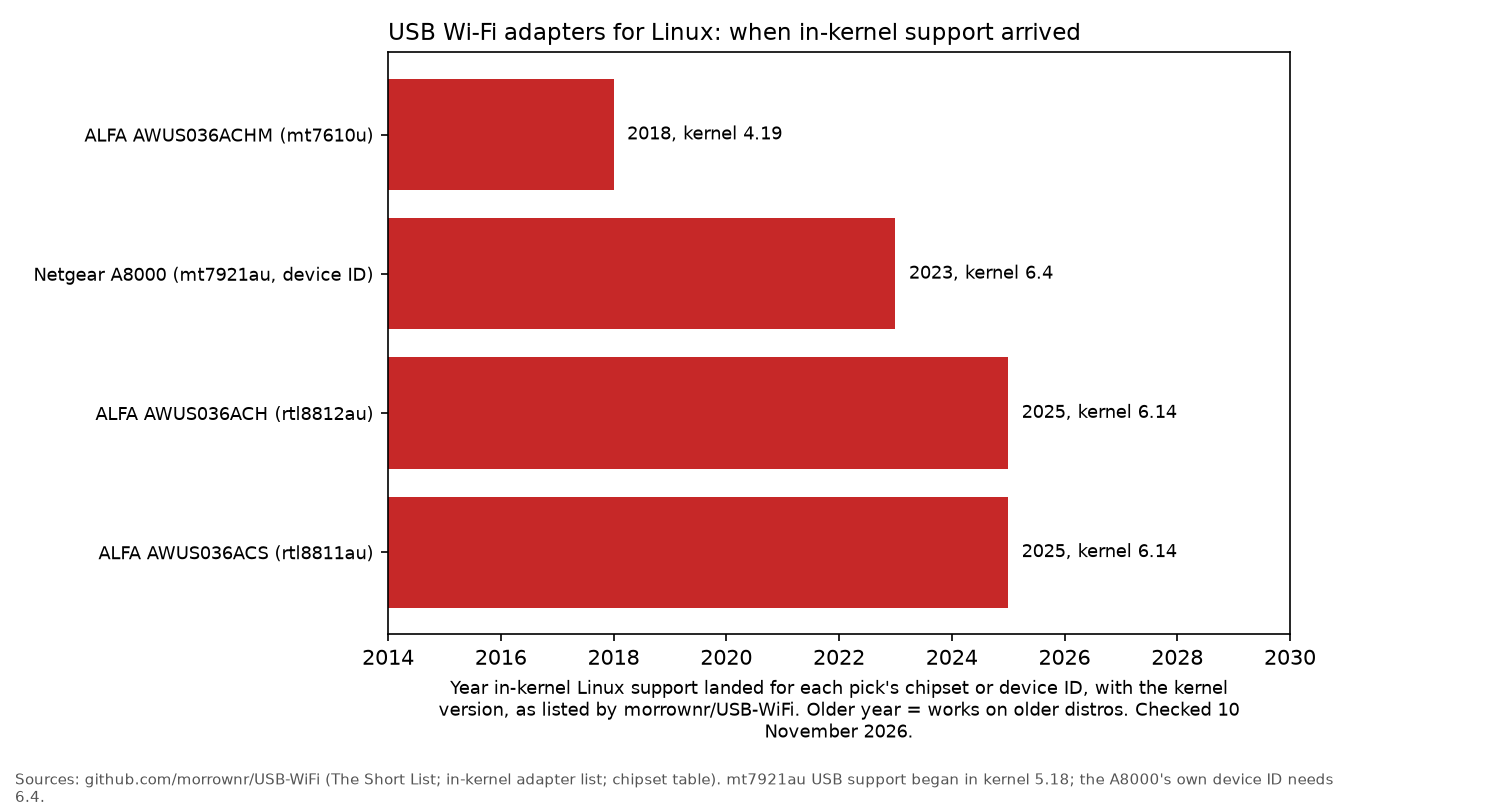
Linux has supported mt7610u in-kernel since version 4.19 (2018). morrownr gives its range a "Very Long" rating, while RottenWifi describes it as compact but "not a speed champion".
Who it's for: older laptops, Linux installers dealing with unsupported internal Wi-Fi, and Raspberry Pi or mini PC setups without access to Ethernet.
Who it isn't for: anyone wanting fast fibre speeds over Wi-Fi.
Watch out: the morrownr Short List specifies USB 2, while the product listing says "USB 3.0 compliant". It is sold by a third-party seller and dispatched by Amazon.
ALFA AWUS036ACH: best AC1200 on a new kernel
The ALFA AWUS036ACH uses the Realtek RTL8812AU chipset, with advertised speeds up to 867 Mbps on 5 GHz.
morrownr added this adapter to its in-kernel list in June 2025. It requires kernel 6.14 or later, so it is not a plug and play option on older kernels.
Who it's for: Fedora, Arch and other Linux distros that receive newer kernels quickly.
Who it isn't for: long-term-support installations still running older kernels.
ALFA AWUS036ACS: best small budget dual-band
The ALFA AWUS036ACS is a compact AC600 adapter. Its listing quotes speeds of 150 Mbps on 2.4 GHz and 433 Mbps on 5 GHz.
morrownr identifies its chipset as rtl8811au, with in-kernel support from version 6.14.
Who it's for: laptop users looking for a small dual-band USB adapter.
Who it isn't for: systems running older kernels or setups that need long range.
Watch out: the Amazon UK listing showed low stock on 10 November 2026.
Worth knowing, not linked today
The ALFA AWUS036AXM is another Wi-Fi 6E adapter using mt7921au. It appears on morrownr's Short List, but Amazon UK showed it as temporarily out of stock on 10 November.
The ALFA AWUS036ACM and Panda PAU0D also appear on the Short List. Both use mt7612u, but neither had a live Amazon UK offer when the listings were checked.
Servers: Ethernet first
For a home server, a wired Ethernet connection is still preferable to any USB Wi-Fi dongle. If the server cannot reach the router by cable, choose an adapter with an in-kernel driver to reduce the risk of updates knocking it offline.
If the same PC also needs Bluetooth, use a separate dongle: the best Bluetooth adapter for Linux guide covers Realtek RTL8761B models the in-kernel driver already picks up.
For more on setting up your hardware, see the mini PC for home server and Raspberry Pi 5 kit guides. The self-hosting getting started guide covers the basics, followed by how to secure the server.
FAQ
Which Wi-Fi chipsets work on Linux without drivers?
According to morrownr, MediaTek mt7610u, mt7612u and mt7921au, plus Atheros AR9271, have in-kernel support. Realtek rtl8812au and rtl8811au are also supported on kernel 6.14 or later.
Do Realtek USB adapters work on Linux?
Many Realtek chips have in-kernel support on newer Linux versions. However, morrownr warns that most Realtek Wi-Fi 6 adapters are multi-state. Check the chipset and kernel version before buying.
Does a Wi-Fi 6E adapter work on Ubuntu?
The mt7921au chipset has had USB support since kernel 5.18. The Netgear A8000's specific device ID requires kernel 6.4 or later. Run uname -r to check your version.
Why does my adapter show up as a CD drive?
It is a multi-state adapter presenting its onboard Windows driver partition as a CD drive. A single-state adapter avoids this issue.
How do I check my adapter's chipset?
Run lsusb to find the adapter's USB ID, then compare it with the morrownr lists to identify the chipset.
Do I need a USB 3 port?
Yes, for AC1200 and Wi-Fi 6E speeds. AC600 adapters such as the ACS and ACHM work fine with USB 2.
As an Amazon Associate I earn from qualifying purchases.