Best Mechanical Keyboard for Programming UK (2026)
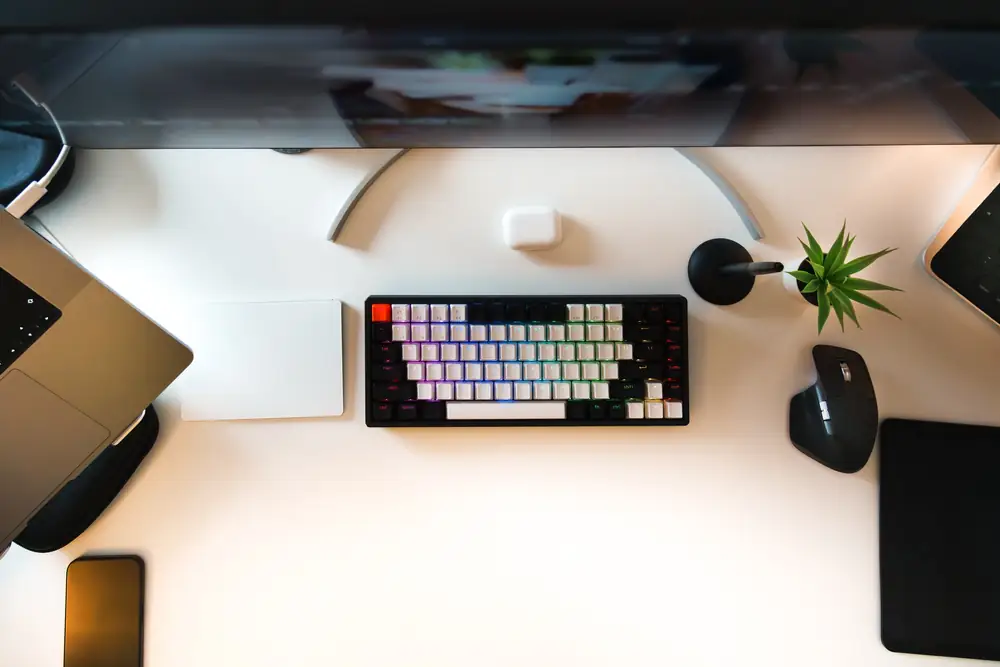
The best mechanical keyboard for programming in the UK, for most people, is the Keychron V3 Max TKL: an 87-key UK layout board with hot-swap switches, QMK remapping, Bluetooth and 2.4GHz wireless, and Linux named on its listing. If you want a heavier aluminium board, the Keychron Q1 Max is the 75% step up. If you need a number pad, the Keychron K10 Pro is the full-size ISO UK pick (108 keys per title). All three remap through QMK or VIA, which stores your layers on the keyboard itself.
Specs come from the UK Amazon listings, the Arch Wiki, Keychron's support pages and Popular Science's programming keyboard guide, checked on 22 November 2026. We have not tested these keyboards ourselves; this guide brings published information together.
Jump to: Quick picks · Linux and ISO UK layout table · The keyboards · How to choose · FAQ
We may earn a commission if you buy through links on this page. It never changes our verdicts. How we review.
Quick picks
- Best overall: Keychron V3 Max TKL (87 keys, hot-swap, QMK, wireless)
- Best premium 75%: Keychron Q1 Max (aluminium body, knob, hot-swap)
- Best full-size with a number pad: Keychron K10 Pro (108 keys per title, ISO UK, QMK and VIA)
- Best budget wired TKL: Keychron C3 Pro (QMK and Launcher, gasket mount)
- Best low-profile: NuPhy Air75 V3 (13.2mm thin, 75% layout)
Linux and ISO UK layout table
On a UK keyboard, two questions matter before the typing feel: is it really the ISO UK layout, with the tall Enter key and the £ symbol, and can you remap it on Linux? Typing works on any of these boards as a normal USB or Bluetooth keyboard. Remapping is different. Keychron Launcher runs in a Chromium-based browser, and on Linux it needs a udev rule before the browser can talk to the board. The Arch Wiki's Keychron launcher page shows the rule, and Keychron's support page says the keyboard must be wired and points Linux users to a udev rule.
| Keyboard | Size | UK layout | Hot-swap | Remapping | Wireless | Linux on listing |
|---|---|---|---|---|---|---|
| Keychron V3 Max TKL | TKL, 87 keys | Yes (title) | Yes | QMK and Launcher | 2.4GHz, Bluetooth 5.1 | Yes, named in title and bullets |
| Keychron Q1 Max | 75% | Yes (title) | Yes | QMK and Launcher | 2.4GHz, Bluetooth 5.1 | Named in title |
| Keychron K10 Pro | Full size, 108 keys per title | Yes (title) | Yes | QMK and VIA | Bluetooth 5.1 | Yes, VIA remaps on Linux |
| Keychron C3 Pro | TKL, 87 keys | Yes (title) | Not stated | QMK and Launcher | No, wired | Windows and Linux keymap named |
| NuPhy Air75 V3 | 75%, low profile | Title says UK; specs table says ANSI 75% (not counted) | Yes | NuPhyIO software | 2.4GHz, Bluetooth | Not named |
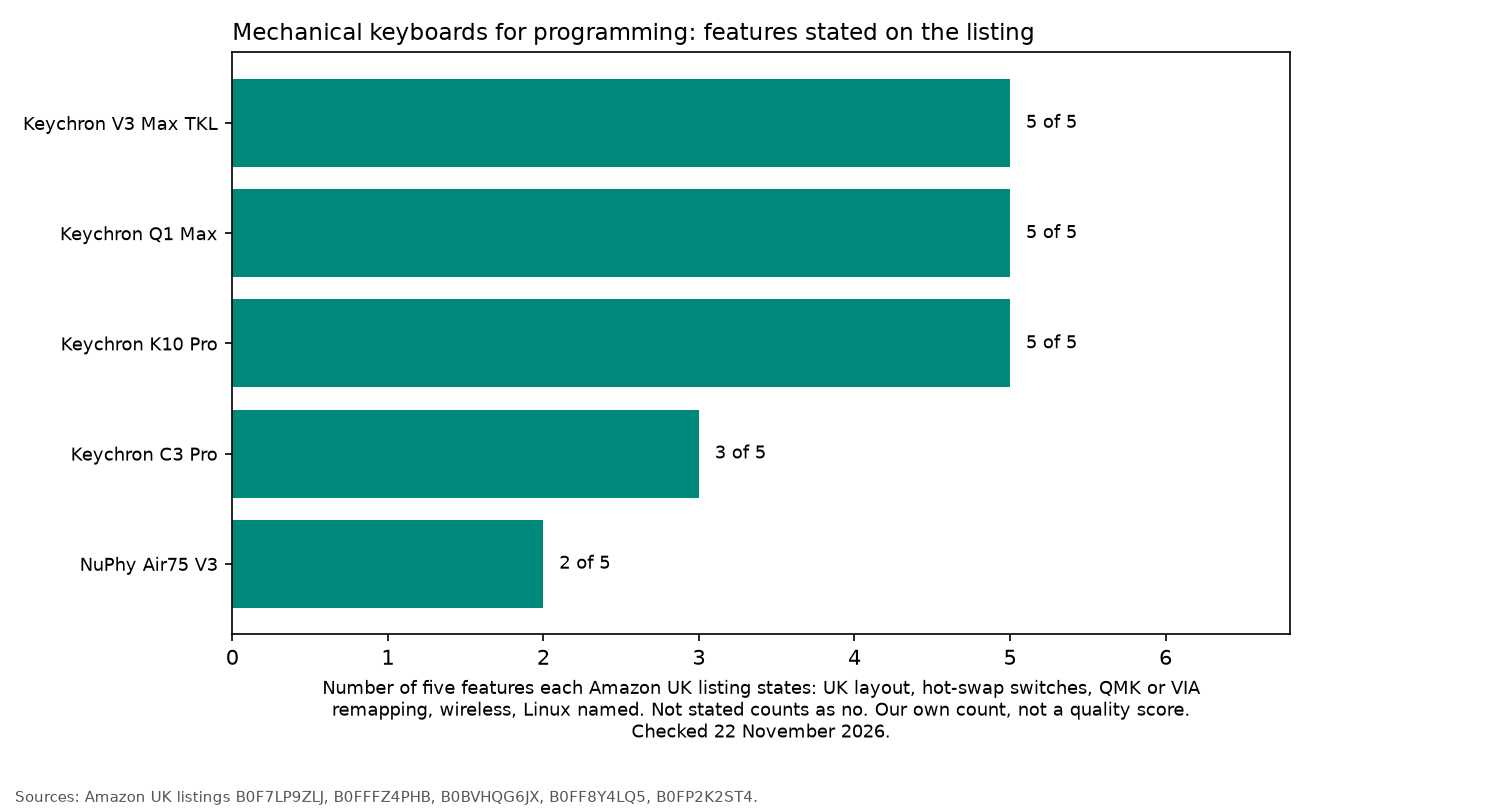
The chart counts five features that each listing states: UK layout, hot-swap, QMK or VIA remapping, wireless and Linux named. It is our own count of what the listings say, not a quality score. "Not stated" counts as no. Where a listing disagrees with itself, that feature is left off the count. The NuPhy Air75 V3 title says UK layout, and a specs table on the same listing says ANSI 75%, so UK layout is not counted for that board. Hot-swap is counted, because the listing states it. That leaves the Air75 V3 with two of the five: hot-swap and wireless.
Popular Science's programming keyboard guide, writing about the Keychron Q6 Pro, says VIA programs the keyboard at firmware level, so the keymap travels with the keyboard to any machine, whatever the operating system. That includes Linux.
Keychron V3 Max TKL: best overall
The V3 Max is an 87-key TKL with 2.4GHz wireless, Bluetooth 5.1 for up to three devices and a wired mode. The listing gives a 1000Hz polling rate and PBT double-shot keycaps. The title says Gateron Brown switches, while a specs table on the same listing says Gateron Jupiter, so check which switch is fitted before buying. The listing says you can hot-swap almost any 3-pin or 5-pin MX style switch. It states full compatibility with Windows and Linux and ships with a system toggle and extra keycaps. TKL keeps arrows and the navigation cluster, which suits code, and saves desk space.
Who it's for: most programmers on Linux, Mac or Windows. Who it isn't for: anyone who needs a number pad.
Keychron Q1 Max: best premium 75%
The Q1 Max is a 75% board with a full 6063 aluminium body, a programmable knob and hot-swap pre-lubed Gateron switches. It connects over 2.4GHz, Bluetooth 5.1 or USB-C, and the listing says you can remap any key or the knob with open-source QMK firmware and the Launcher web app. The listing names macOS and Windows in its bullets and Linux in its title.
Who it's for: people who want a solid aluminium board and a compact layout. Who it isn't for: anyone on a tight budget, or who wants a lighter keyboard to carry.
Keychron K10 Pro: best full-size with a number pad
The K10 Pro is a full-size ISO UK board with hot-swap switches and brown switches fitted. The listing's bullet points mention an aluminium frame, while a specification table on the same listing says ABS, so check the materials before buying. The listing title says 108 keys, while one specification table on the same listing says 109, so check the key count. The listing says VIA lets you remap any key and create macros on macOS, Windows or Linux, but only in wired mode; the keymap then works wirelessly too. It lists Bluetooth 5.1 for up to three devices and up to 100 hours of battery at the lowest brightness.
Who it's for: developers who also work in spreadsheets, logs or data entry and want a full layout. Who it isn't for: small desks.
Keychron C3 Pro: best budget wired TKL
The C3 Pro is a wired 87-key ISO UK TKL with a gasket mount, acoustic foam and tactile brown switches. The listing says QMK firmware and the Launcher web app remap every key, with separate keymaps for macOS and Windows or Linux. It does not state hot-swap, so treat the switches as fixed. Its keycaps are double-shot ABS.
Who it's for: a first mechanical board for coding at a desk. Who it isn't for: anyone who wants wireless or swappable switches.
NuPhy Air75 V3: best low-profile
The Air75 V3 is a 75% low-profile board, 13.2mm at its thinnest, with a gasket mount, a 4000mAh battery and removable knobs. The listing gives Bluetooth, 2.4GHz and USB-C, up to four devices, and customisation through NuPhyIO software. The title says UK layout, while a specs table on the same listing says ANSI 75%. The listing's product details list hot-swappable as a feature. It does not name Linux or QMK, so check NuPhy's own pages before you rely on remapping from Linux.
Who it's for: laptop users who like a slim, quiet board. Who it isn't for: people who want Linux named on the listing.
How to choose a mechanical keyboard for programming
- Pick a size. TKL and 75% keep arrows and navigation keys; full size adds the number pad.
- Check the layout on the listing. Look for ISO UK or UK layout in the title or part number before you buy. If the title and a specs table disagree, do not assume the layout.
- Choose a switch feel. Tactile switches give a bump, linear switches are smooth and clicky switches are loud. Hot-swap lets you change later.
- Check the Linux remapping route. QMK, VIA or Launcher need a Chromium-based browser and, on Linux, a udev rule.
- Check the connection. Remapping on Keychron boards is wired only.
Setting up the rest of the desk? See the best KVM switch for Linux, the best docking station for Linux and the best USB-C hub for Linux.
FAQ
Do mechanical keyboards work on Linux?
Yes. Typing works like any USB or Bluetooth keyboard. Only remapping tools such as Keychron Launcher need extra setup, usually a udev rule.
What is an ISO UK keyboard layout?
It is the standard UK layout, with a tall Enter key, a shorter left Shift and the £ symbol. Check the listing title or part number for UK or ISO.
Are hot-swap keyboards worth it for programming?
They are if you may want to change switch feel later. You can swap switches without soldering. Listings that do not state hot-swap should be treated as fixed.
Is a wireless keyboard fine for programming?
Yes for most work. On the Keychron boards here you remap in wired mode, and the keymap then works wirelessly too.
As an Amazon Associate I earn from qualifying purchases.