Best Mesh Wi-Fi System UK (2026)
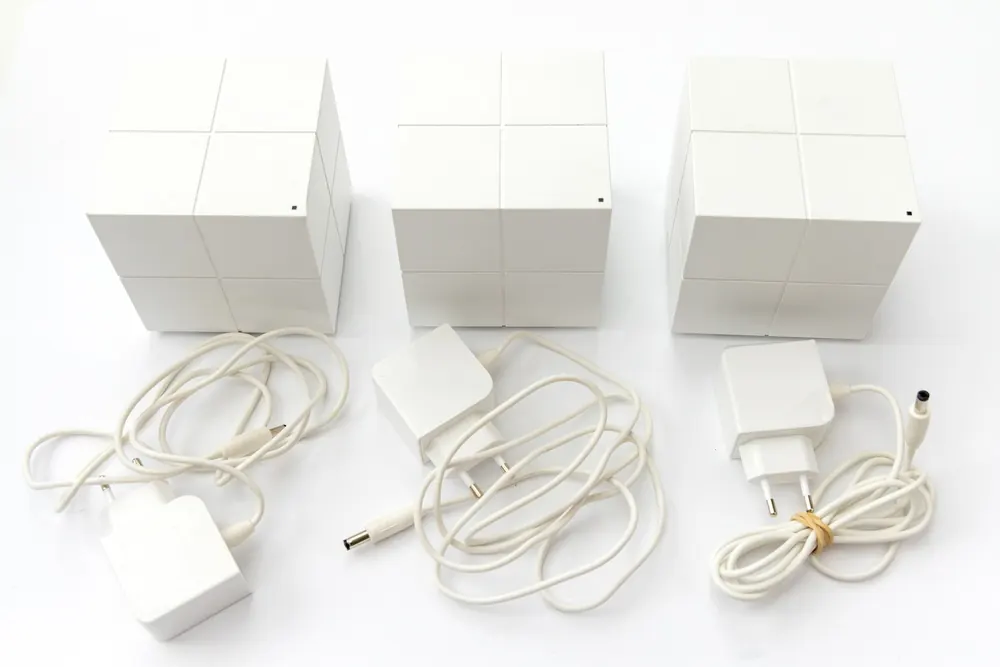
The best mesh Wi-Fi system in the UK for most homes is the TP-Link Deco BE65. It's a tri-band Wi-Fi 7 kit with four 2.5 Gbps ports on each unit. Its backhaul can also use wired and wireless connections at the same time. TechRadar's mesh Wi-Fi guide ranks the Deco BE63 as the best mesh system overall. It says it tested the three-unit version, which is sometimes called the Deco BE65 in the UK, and that you can also buy two-unit packs. The Amazon UK listing linked below is titled as a 2-pack, with a pack count of 2. The box contents on the same listing list 3 Deco BE65 units, so check the pack before you buy.
Specs come from the makers' pages, the Amazon UK listings and TechRadar's mesh Wi-Fi guide, checked on 23 November 2026. We have not tested these systems ourselves; this guide brings published information together.
Jump to: Quick picks · Coverage by home size · The systems · How to choose · FAQ
We may earn a commission if you buy through links on this page. It never changes our verdicts. How we review.
Quick picks
- Best overall: TP-Link Deco BE65 (tri-band Wi-Fi 7, four 2.5 Gbps ports per unit)
- Best budget Wi-Fi 7: Netgear Orbi 370 (dual-band, up to 4,500 sq ft for three units)
- Best for large homes: Netgear Orbi 770 (tri-band, up to 6,750 sq ft for three units)
- Easiest to set up: eero 7 (dual-band Wi-Fi 7, 560 m² for three units)
- Best value Wi-Fi 6: TP-Link Deco X50 (up to 6,500 sq ft for three units)
Coverage by home size table
Mesh systems usually come in packs of one, two or three units. Manufacturers give coverage figures for each pack, but those numbers are best treated as upper limits, not guaranteed results.
Thick walls, extra floors and poor unit placement can all reduce coverage. TP-Link recommends one Deco X50 for a house with one to three bedrooms, or a three-pack for homes with four to six bedrooms or more.
| Home size | Suggested pick | Nodes | Backhaul | Wi-Fi standard | Maker coverage |
|---|---|---|---|---|---|
| Flat or small home | eero 7 | 1 to 2 | Wireless (TrueMesh) | Wi-Fi 7, dual-band | 190 m² per unit (listing) |
| Three-bed house | Netgear Orbi 370 | 2 | Wireless, or 2.5 Gig cable | Wi-Fi 7, dual-band | Up to 3,000 sq ft (2-pack) |
| Three-bed house, faster | TP-Link Deco BE65 | 2 (title and pack count; box contents list 3) | Wired and wireless combined | Wi-Fi 7, tri-band | Not stated per pack |
| Large or four-plus bed | Netgear Orbi 770 | 3 | Wireless, or 2.5 Gig cable | Wi-Fi 7, tri-band | Up to 6,750 sq ft (3-pack) |
| Large home, Wi-Fi 6 budget | TP-Link Deco X50 | 3 | Wireless, or Gigabit cable | Wi-Fi 6, dual-band | Up to 6,500 sq ft (3-pack) |
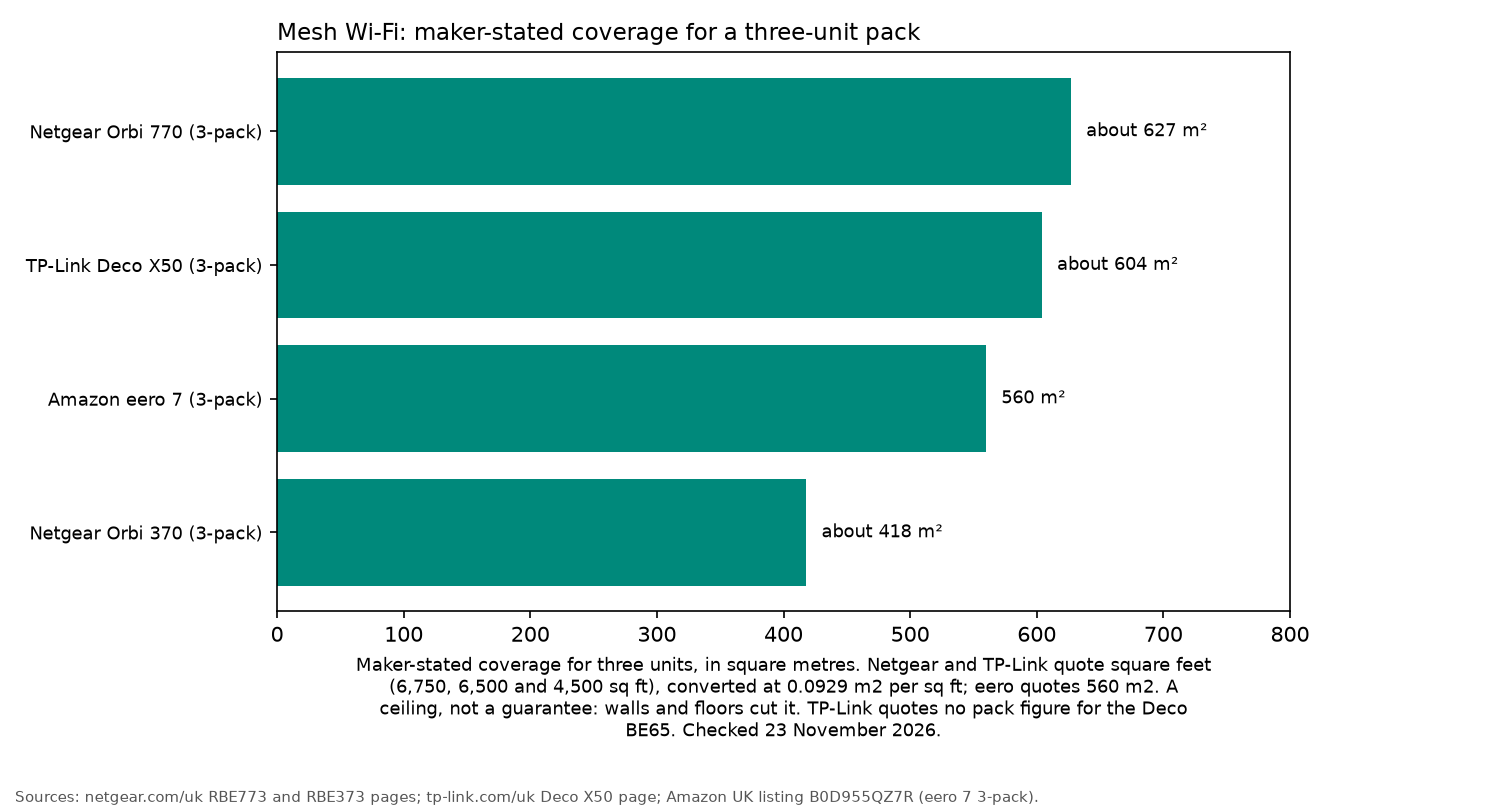
The chart compares the manufacturers' stated coverage for three-unit packs, all shown in square metres. Netgear's and TP-Link's figures were converted from square feet using 0.0929 m² per square foot. The eero listing already gives its coverage in square metres.
TP-Link does not publish a pack coverage figure for the Deco BE65, so it is not included in the chart.
TP-Link Deco BE65: best overall
The Deco BE65 is a tri-band Wi-Fi 7 system. TP-Link's Deco BE65 page and the listing give up to 5,765 Mbps on 6 GHz, 2,882 Mbps on 5 GHz and 688 Mbps on 2.4 GHz, plus four 2.5 Gbps ports on each unit. Its combined backhaul links the units over a cable and wirelessly at the same time, and it supports multi-link operation (MLO) and 320 MHz channels. TP-Link's own heatmap, in a 4,600 sq ft two-floor house, showed most of the home at 2.5 Gbps over a wired backhaul and at least 1.5 Gbps in the middle of the other floor over wireless backhaul.
TechRadar praises its performance, setup and free parental controls, but notes some features need a subscription. TP-Link's HomeShield has a free Basic plan, with fees for Pro.
Who it's for: fast broadband, homes with Ethernet between rooms, and Wi-Fi 7 devices. Who it isn't for: small flats where one router already reaches every room.
Netgear Orbi 370: best budget Wi-Fi 7
The Orbi 370 (RBE373) is dual-band Wi-Fi 7 at up to 3.6 Gbps. Netgear's Orbi 370 page quotes up to 4,500 sq ft for the router and two satellites, up to 1,500 sq ft per satellite, and up to 70 devices. The router has a 2.5 Gig internet port and a 2.5 Gig LAN port, and the satellites can use a 2.5 Gig wired backhaul. TechRadar calls it the best budget mesh system and found setup easy, but notes it skips the 6 GHz band and that parental controls need a subscription.
Who it's for: most broadband plans up to 2.5 Gbps on a budget. Who it isn't for: anyone who wants 6 GHz for the fastest Wi-Fi 7 laptops and phones.
Netgear Orbi 770: best for large homes
The Orbi 770 (RBE773) is tri-band Wi-Fi 7 at up to 11 Gbps, with up to 6,750 sq ft from three units and up to 100 devices. The listing gives coverage as both 6,750 sq ft and 8,000 sq ft, so check the coverage figure. Netgear's Orbi 770 page lists a 2.5 Gig internet port, an optional 2.5 Gig wired backhaul, and up to three separate Wi-Fi networks, so smart home kit can sit on its own IoT network. The same page lists both three and two 2.5 Gig LAN ports, so check the port count. TechRadar rates it best for larger homes and highlights MLO, which joins the 5 GHz and 6 GHz bands for Wi-Fi 7 devices. Netgear Armor security is an optional subscription.
Who it's for: big or long houses, and homes with garden offices. Who it isn't for: flats and small semis, where it is more kit than you need.
eero 7: easiest to set up
The eero 7 is Amazon's dual-band Wi-Fi 7 system. eero's product page says each unit has two auto-sensing 2.5 GbE ports, supports broadband plans up to 2.5 Gbps and wireless speeds up to 1.8 Gbps, and the listing quotes 560 m² and 120+ devices for three units. TechRadar picks it as the easiest mesh system to set up, praising the app's placement tips, and notes that parental controls, malware protection and VPN need an eero Plus subscription.
Who it's for: people who want the simplest app and setup. Who it isn't for: anyone who wants 6 GHz or full features without a subscription.
TP-Link Deco X50: best value Wi-Fi 6
The Deco X50 is an AX3000 Wi-Fi 6 system: up to 2,402 Mbps on 5 GHz and 574 Mbps on 2.4 GHz, with three Gigabit ports per unit. TP-Link's Deco X50 page quotes up to 6,500 sq ft for three units and over 150 devices, and Ethernet backhaul is optional. HomeShield is included, and the listing mentions a three-year warranty. Its ports top out at Gigabit, so it suits broadband up to around 1 Gbps.
Who it's for: large homes on a budget with broadband up to Gigabit speeds. Who it isn't for: multi-gig broadband plans.
How to choose a mesh Wi-Fi system
- Match the pack to your home. Start with the manufacturer's coverage figure for the pack, but treat it as a maximum. Thick walls and additional floors can reduce the area covered.
- Wire the backhaul if you can. Deco and Orbi systems support Ethernet backhaul, and TP-Link's own test showed faster speeds over a wired connection than a wireless one.
- Pick a Wi-Fi standard. Tri-band Wi-Fi 7 systems add the 6 GHz band. Dual-band Wi-Fi 7 and Wi-Fi 6 systems cost less and still suit most broadband connections.
- Check the ports. For multi-gig broadband, look for 2.5 Gbps ports. Gigabit ports limit wired speeds to 1 Gbps.
- Check what needs a subscription. Netgear and eero charge extra for parental controls and security features, so check what's included before buying.
Planning the rest of your home network? Take a look at the best managed switch for a home lab. For Linux computers without built-in wireless connectivity, see the best USB Wi-Fi adapter for Linux.
FAQ
Can a mesh system replace my ISP router?
Usually, yes. The Orbi listings say the systems work with any internet provider by connecting to your existing modem. The eero listing says eero can replace your Wi-Fi router and works with most major internet service providers.
Is Wi-Fi 7 worth it over Wi-Fi 6?
Wi-Fi 7 makes the most sense if you have compatible devices and fast broadband. Features such as MLO and the 6 GHz band require supported hardware. Older phones and laptops can still connect, but they'll use their own Wi-Fi standard.
What is wired backhaul?
Wired backhaul means connecting mesh units with an Ethernet cable instead of having them communicate over Wi-Fi. TP-Link's own test showed that wired backhaul delivered faster speeds than wireless backhaul.
How many mesh units do I need?
Use the manufacturer's recommendations for your home size as a starting point. TP-Link suggests one Deco X50 for a home with one to three bedrooms, or three units for a home with four bedrooms or more.
As an Amazon Associate I earn from qualifying purchases.